Preview furniture in one photo of a room you live in. This is not the listing-photo workflow. For a property you are marketing, use virtual staging instead.
Real RenderVibe before-and-after examples
Reference photos and saved results from RenderVibe tests. These are visual concepts, not photographs of completed work. Briefs below summarize the requests; source credits accompany licensed stock photos.
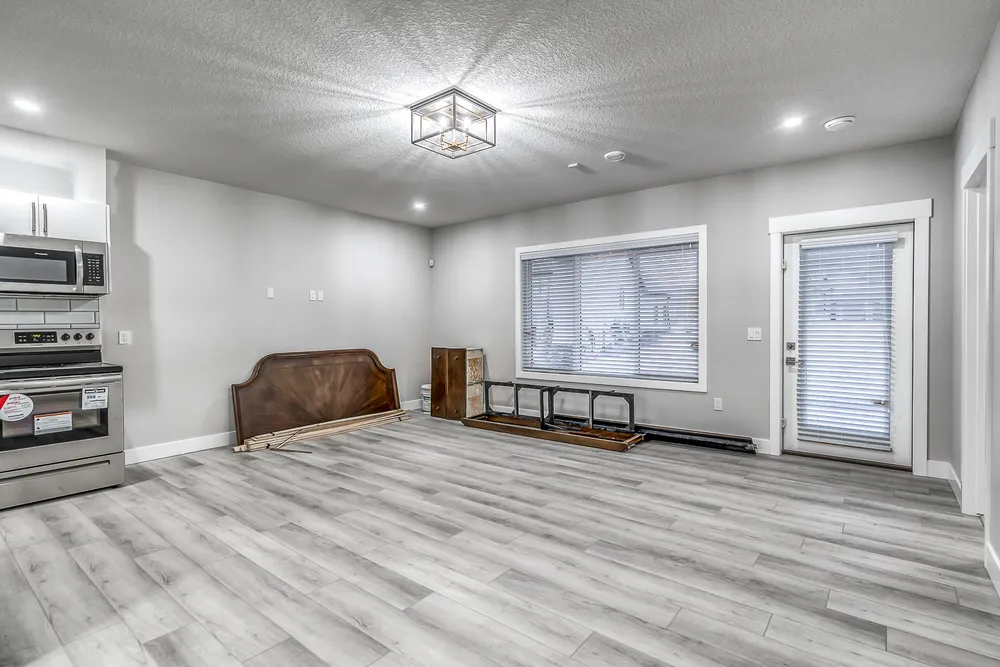
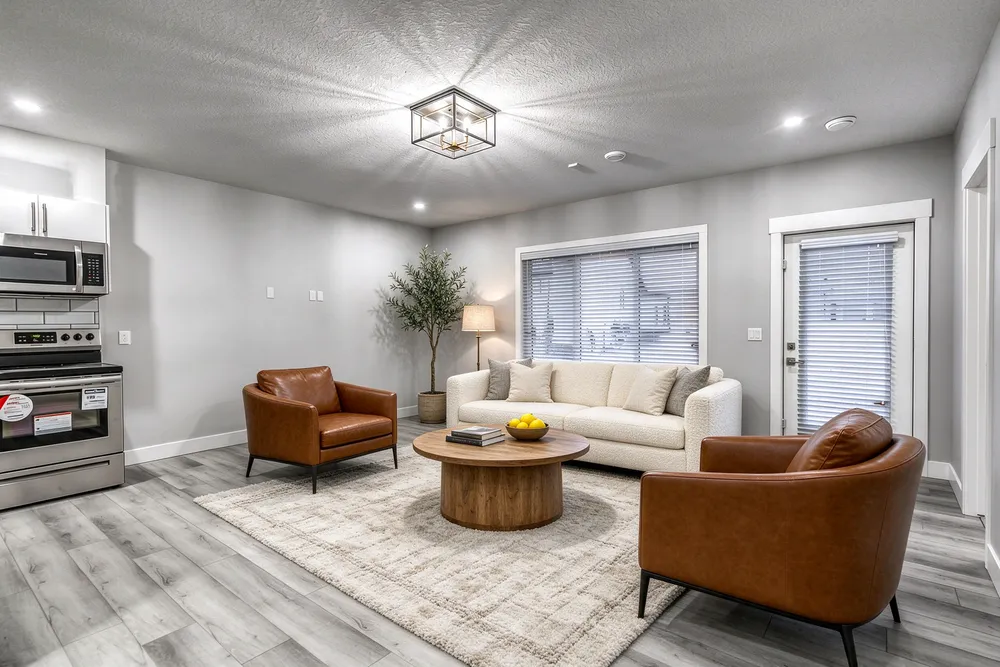
From a cleared room to a living-room concept
Before · source photoVirtually staged
The brief: Add a cream sofa, cognac chairs, an oak coffee table and a textured rug. Remove stored furniture pieces and keep the room’s existing finishes.
What to review: The result illustrates a seating arrangement around the existing window and door. Compare the floor, openings and furniture scale with the source before using it.
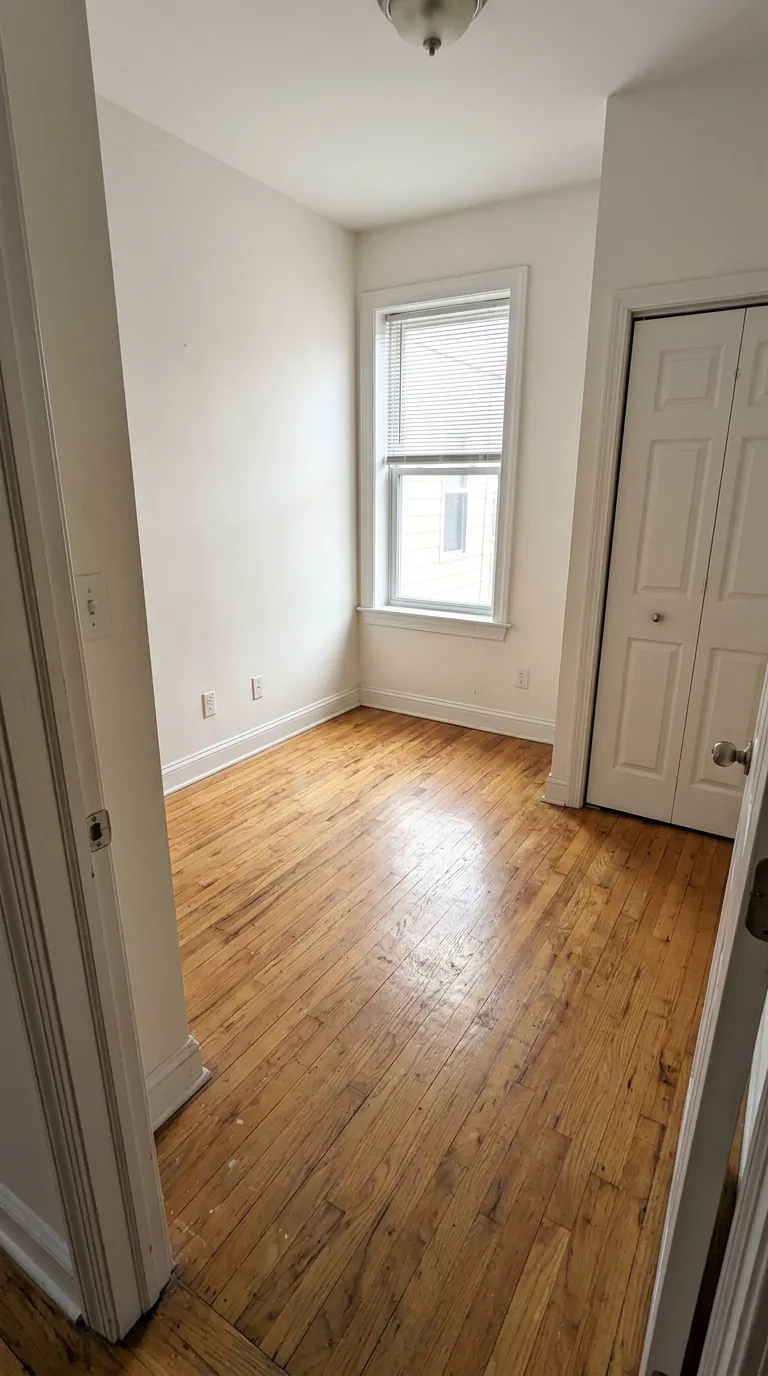
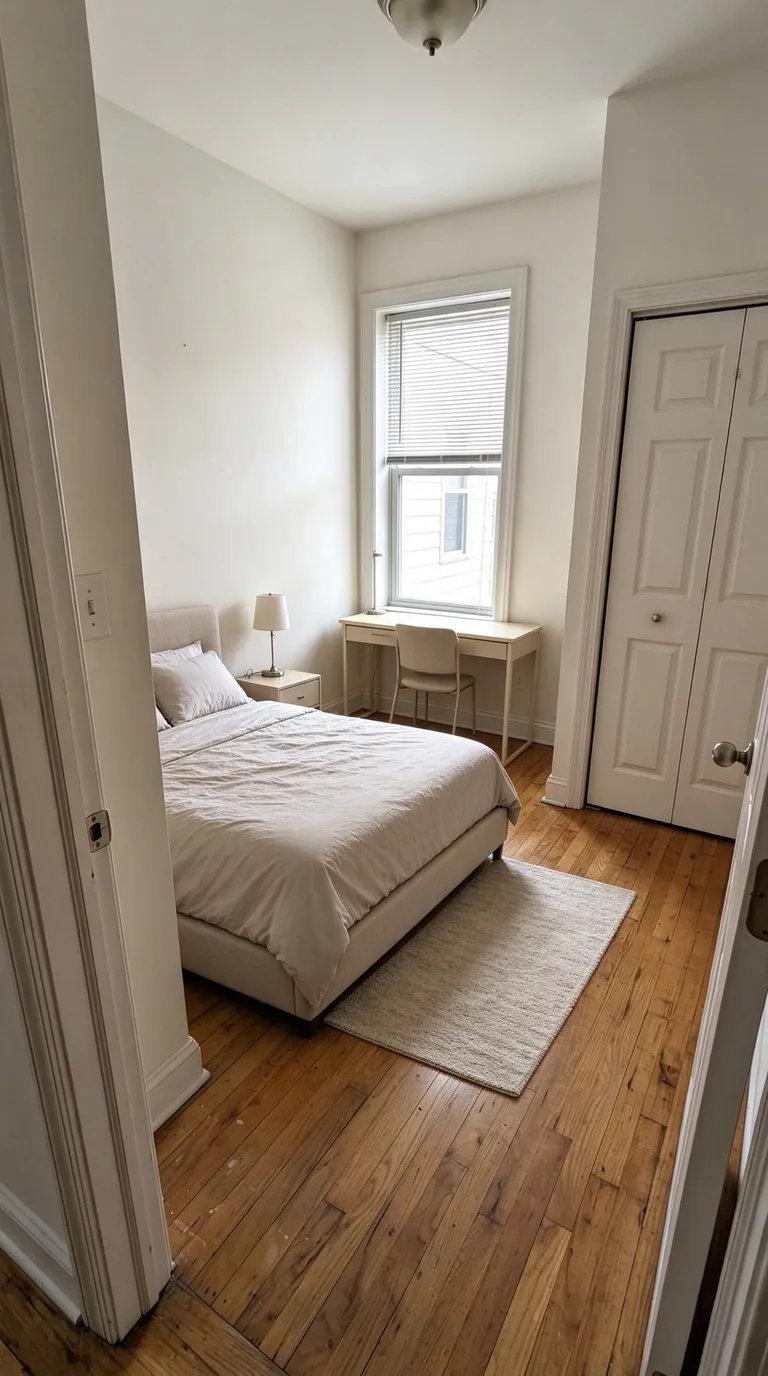
A compact bedroom with a study area
Before · source photoVirtually staged
The brief: Add a bed along the left wall, a desk under the window, a nightstand and a small rug. Keep the closet accessible.
What to review: The concept explores how sleeping and study areas could share a small room. It does not verify that the furniture fits; measure circulation and closet clearance separately.
Each staged image on this page is labeled Virtually staged. These are saved product tests of furniture added to a source photo, not photographs of a finished room and not client results. Review the quote in the studio before you generate another view. Compare all credit packs and monthly plans.
One job: furniture in your own photo
This page is for a person looking at a photograph of a room they already have. Upload that photo, describe the sofa, table, bed, or chairs you want to picture, and compare the concept with the room. The job stops there. It is not a guide to publishing a listing, and it is not a substitute for virtual staging, which is the workflow for a photo you may show to buyers. If the property is an Edmonton listing, the local reading is virtual staging in Edmonton. The product studio is AI home staging. Use this page when the question is how your own room could look, and use the listing page when the question is what a buyer is allowed to be shown.
Why this is not the listing page
A listing photo has to survive a brokerage review and, in Alberta, the provincial MLS photo rules. A photo of your own living room does not. Mixing the two jobs produces the wrong brief. On a listing, added furniture has to stay unattached and realistically sized. In your own home, you might also be thinking about a rug you could buy, a bed that has to reach the closet, or whether a desk fits under the window you already have. Those are household questions. They are still not measurements. RenderVibe does not visit the room, and the image does not prove a piece will fit. If a sentence on this page starts to sound like advice for an MLS upload, leave it and open virtual staging.
Write one question for one room
Start with a photo that shows the floor, the windows, and the way into the room. Say what must stay: the walls, the openings, the floor, and anything built in. Then name a few pieces, not a style word alone. A useful brief is "add a compact sofa and a coffee table, and leave a path to the doorway" rather than "make it modern." Keep the next attempt on the same question. If the sofa is too large, ask for a smaller sofa. Do not also repaint the walls in that same request, or you will not know which change you are judging. For a single-room brief, continue with AI room design. For furniture and finishes across more than one decision, read AI interior design. The prompt guide shows how to tell the model what must not move. Use it as a writing template. The listing rules on that guide's neighbouring pages do not become your rules just because the template is useful at home.
The staged pictures are labeled
Every staged image on this page is labeled Virtually staged. The label means the furniture was added to a source photo in a product test. It does not mean a client hired a stager, and it does not mean the room was photographed after a real install. The before image is the source. The after image is the concept. Put them side by side and look for a window that moved, a door that closed, or a table that blocks the only path through the room. The bedroom example asks for a bed and a desk in a narrow room. The result is a picture to discuss, not evidence that the furniture clears the closet. There are no customer quotes on this page. A pleasing image is not a testimonial and it is not a promise that your upload will look the same.
A concept is not a shopping list
The model can draw a sofa that no store sells. It can change a cushion, a leg, or a fabric you did not name. Treat the picture as a way to decide whether you want seating by the window, not as a catalogue page. Write down the real product, the size, and the colour separately before anyone orders it. RenderVibe does not check out at a retailer and does not confirm delivery or fit. If the question turns into cabinets, paint, or a new floor, that is a finish conversation, not furniture in the existing room. Use AI kitchen design or living-room design for those briefs, and keep the listing photo untouched. Builders recording a buyer's choice should use finish selections and buyer approvals, which stores a written selection apart from the image.
What the quote is for
Each generation shows a credit quote before it runs. Read that number. A standard single image is one kind of request, and some edits cost more. The quote on the screen is the charge for that request. A result you simply do not like is a completed image, so another try is a new quote. Failed generations return their credits. Current one-time packs and monthly plans are listed on pricing. This page does not repeat a promotional credit, and it does not set a price of its own. Opening a guide does not start a purchase.
Keep the original next to the concept
Save the photo you uploaded. When you show the concept to someone you live with, show the original as well. This page and virtual staging stay separate. Photographers who need framing and light before any furniture is added can read how to photograph a room for virtual staging. The same camera advice helps a homeowner. It does not turn the photo into a listing.
Is AI home staging the same page as virtual staging?
No. Virtual staging on this site is the workflow for a listing photo a realtor may publish. AI home staging, on this page, is a preview of furniture in a photo of your own home. Cross-link them when a reader has the other job. Do not merge the briefs. An Edmonton listing follows virtual staging in Edmonton, not this page.
Will the picture match a sofa I can buy?
No. The image is a concept. It does not identify a manufacturer, a size, or a price, and it does not measure the room. Choose real products yourself, and measure the path to the door before you buy.