Virtual staging adds furniture to a photo of a real room. Agent monthly is US$19 for 40 credits. RenderVibe does not publish a guaranteed turnaround.
Real RenderVibe before-and-after examples
Reference photos and saved results from RenderVibe tests. These are visual concepts, not photographs of completed work. Briefs below summarize the requests; source credits accompany licensed stock photos.
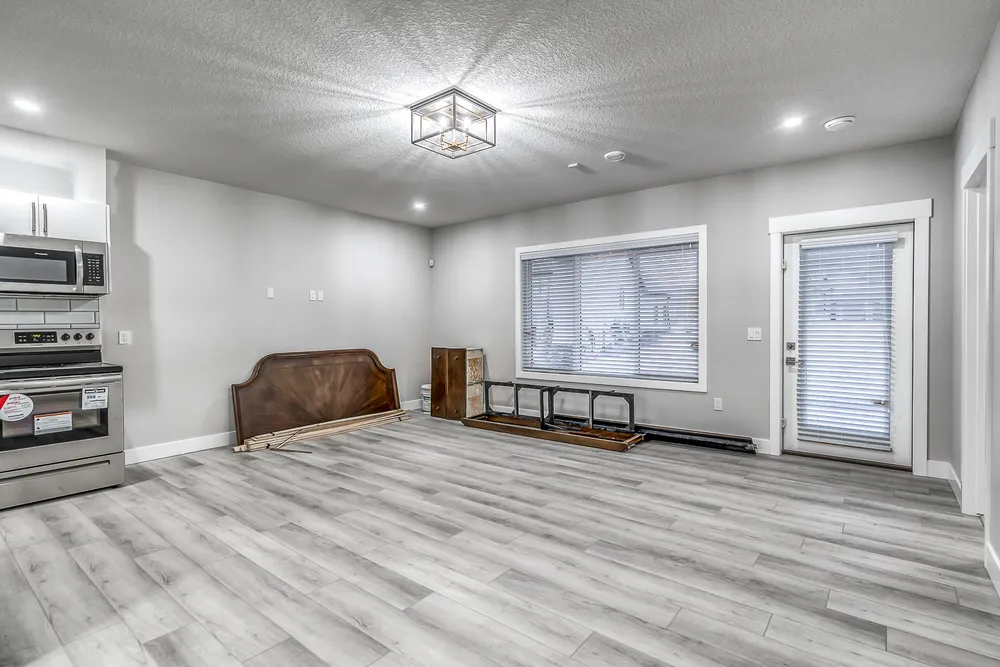
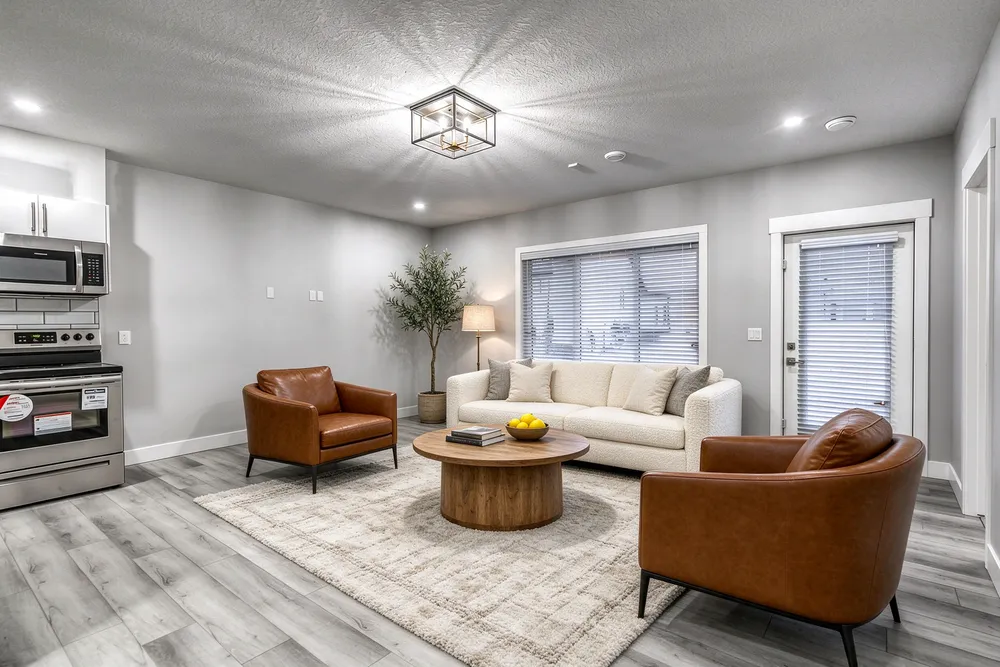
From a cleared room to a living-room concept
Before · source photoVirtually staged
The brief: Add a cream sofa, cognac chairs, an oak coffee table and a textured rug. Remove stored furniture pieces and keep the room’s existing finishes.
What to review: The result illustrates a seating arrangement around the existing window and door. Compare the floor, openings and furniture scale with the source before using it.
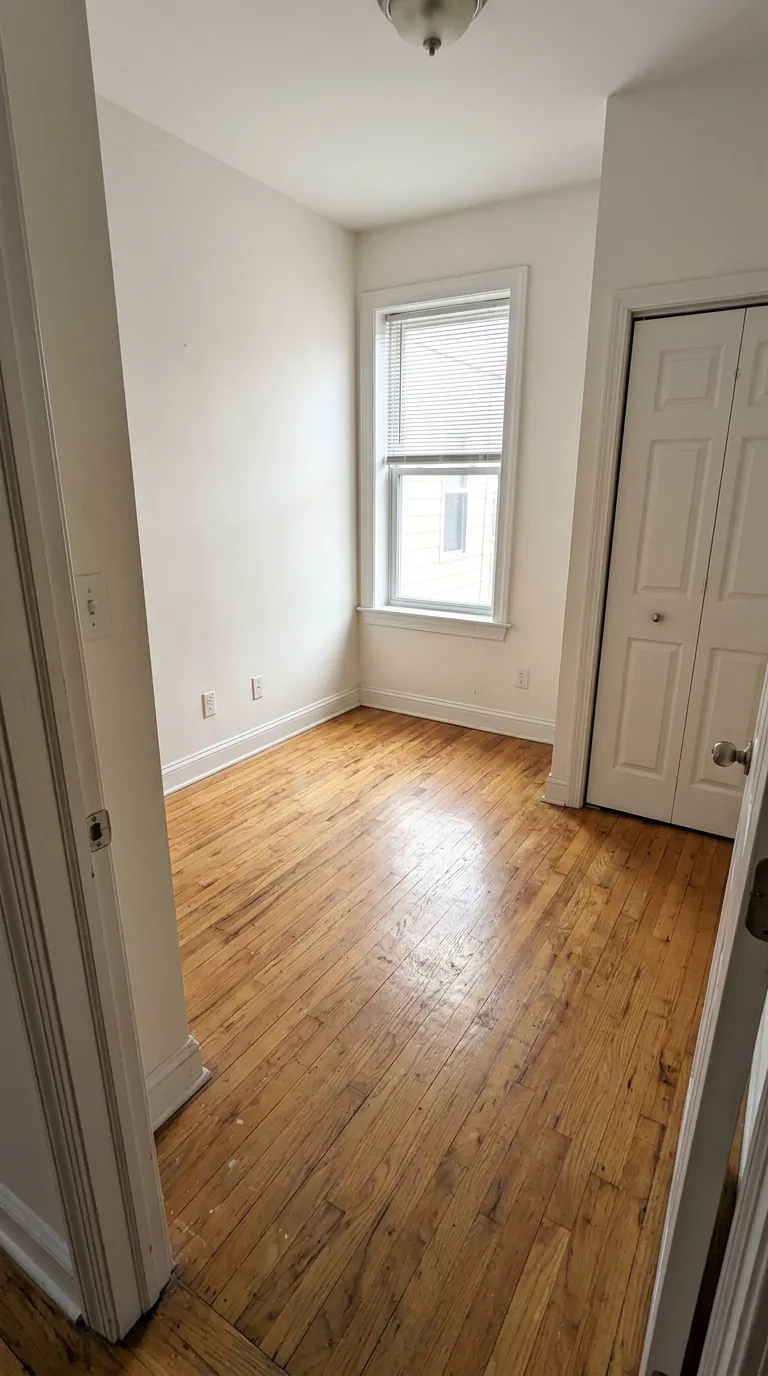
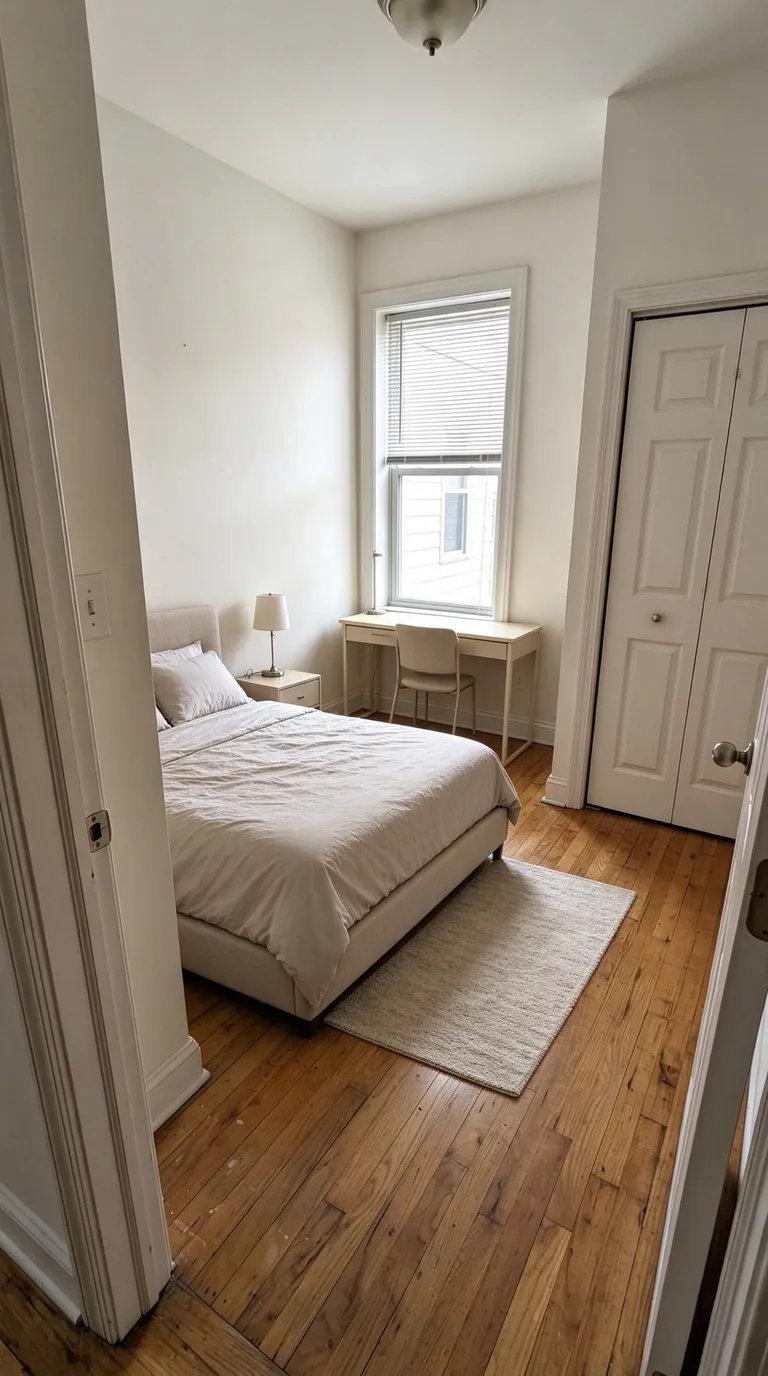
A compact bedroom with a study area
Before · source photoVirtually staged
The brief: Add a bed along the left wall, a desk under the window, a nightstand and a small rug. Keep the closet accessible.
What to review: The concept explores how sleeping and study areas could share a small room. It does not verify that the furniture fits; measure circulation and closet clearance separately.
The pictures above are saved product tests. Each staged image on this page is labeled Virtually staged. They are not client listings. Compare all credit packs and monthly plans.
What is virtual staging?
Virtual staging adds furniture to a photograph of a real room so a buyer can judge the space. It does not put furniture in the house, and it does not change the walls, windows, or floor.
RenderVibe does that job in a browser. You upload a photo and a written brief. It does not visit the property, measure the room, or file a listing. If you need furniture in the house for a showing, hire a physical stager. City notes are on Calgary, Edmonton, Canmore and Banff, Red Deer, Lethbridge, and Alberta.
How does AI virtual staging work?
You upload a photo of the room you have, name the furniture to add, and accept a credit quote before an image is generated. RenderVibe then returns a concept in the browser for you to compare with the original.
Say what must stay: walls, windows, doors, flooring, and the view outside the glass. Name the pieces, such as a compact sofa and a table that leave a path to the kitchen. A style word alone is a weak brief. The prompt guide is a starting template, and how to photograph a room covers the source frame.
The model can still move a window, cover a stain, or drop a doorway. That is why the review is part of the work. Keep the unstaged photo. Two angles generated separately can disagree, so check each image against its own original. RenderVibe does not certify that the furniture fits. The shared realtor steps are on virtual staging, and the studio starts at AI home staging.
How much does virtual staging cost?
Agent monthly is US$19 for 40 credits in the billing period. That is the plan to read first if you stage listing photos through the month. Agent monthly and Studio monthly renew until you cancel. Unused monthly credits expire at the end of the billing period and are used before one-time credits. Studio monthly is US$49 for 120 credits in that period. One-time packs are US$4 for 5 credits (Starter), US$19 for 30 credits (Listing), and US$49 for 100 credits (Studio pack). Pack credits do not expire, and a pack is not a subscription. A standard single image uses one credit. Other requests can cost more. The quote on screen is the charge. Failed generations return their credits. A finished image you do not want to publish still used its quote.
Promo for accounts created through Dec 31, 2026, 11:59 PM MT: your one free credit makes one image, and you download it watermark-free at full resolution. After that, buy a credit pack or subscribe to keep creating. Checkout shows the amount and any tax. There is no city discount. Current packs are on pricing. The cost guide shows how to divide what you spend by the images you can actually use. This page does not quote other companies' prices.
How fast is the turnaround?
RenderVibe does not publish a guaranteed turnaround. You upload the photo, read the credit quote, and review the image in the same browser session. There is no local staging desk and no promised delivery window.
A failed generation returns its credits. A finished image you reject still used the quoted credits, so budget a second try when the first concept crowds a doorway. A time recorded for one past attempt on another page is not a promise for your photo.
Which rooms can be virtually staged?
The furniture-staging examples published on this site are a living room and a bedroom, including the small-bedroom example. Those are saved product tests, not a promise that every upload will look like them.
You can upload another room. A clear vacant photo, with the floor, windows, and the way into the room in frame, is the useful start. A kitchen or bathroom page elsewhere on this site is often a finish concept, such as cabinet colour, which is a different brief from adding unattached furniture. For a listing photo, ask for furniture and leave the finishes as photographed. Check scale, door swings, and anything the new furniture covers. RenderVibe does not publish a success rate by room.
Does the free first photo include a clean download?
Promo for accounts created through Dec 31, 2026, 11:59 PM MT: your one free credit makes one image, and you download it watermark-free at full resolution. After that, buy a credit pack or subscribe to keep creating.
Can I turn on a Virtually staged label?
Yes. When you export a staged image, you can turn on a Virtually staged label if you want one. The sample images on this page already use that caption so you can see the furniture was added in a product test.