Stage a Calgary listing photo in the browser with RenderVibe. There is no local staging crew. Review the concept, label it, and confirm your brokerage's rules.
Real RenderVibe before-and-after examples
Reference photos and saved results from RenderVibe tests. These are visual concepts, not photographs of completed work. Briefs below summarize the requests; source credits accompany licensed stock photos.
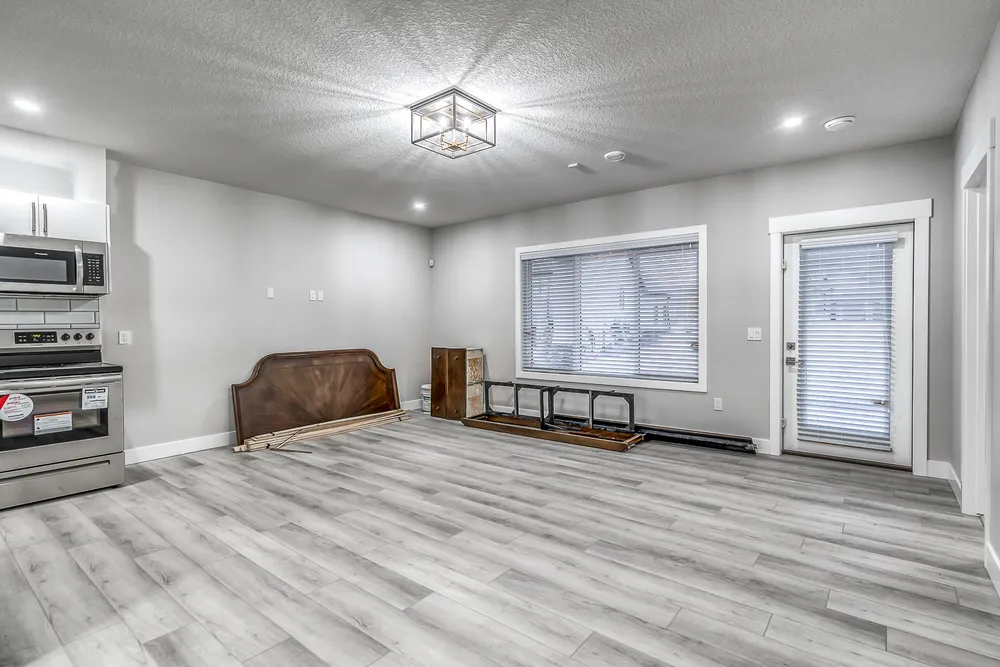
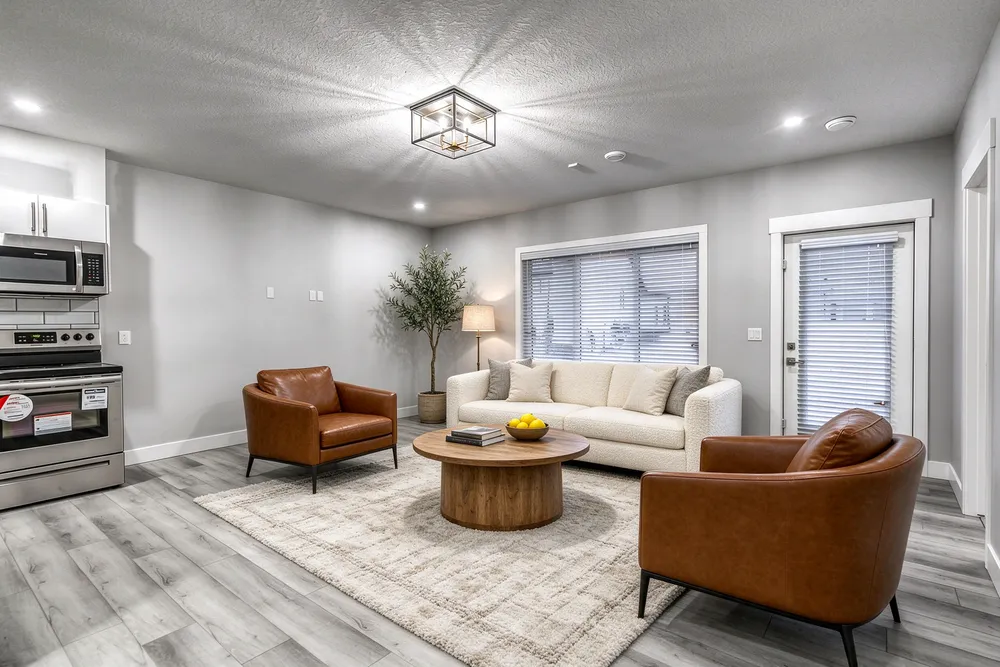
From a cleared room to a living-room concept
Before · source photoAfter · AI-generated concept
The brief: Add a cream sofa, cognac chairs, an oak coffee table and a textured rug. Remove stored furniture pieces and keep the room’s existing finishes.
What to review: The result illustrates a seating arrangement around the existing window and door. Compare the floor, openings and furniture scale with the source before using it.
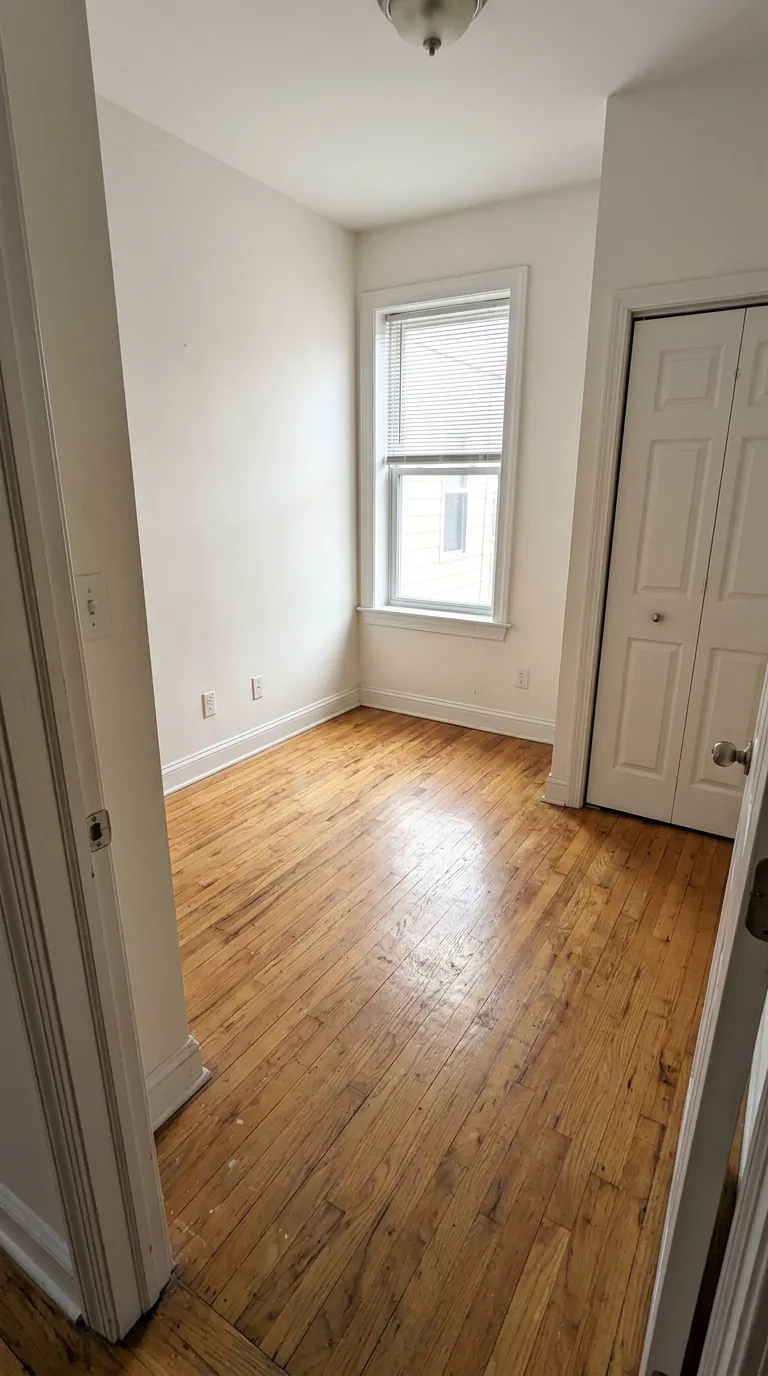
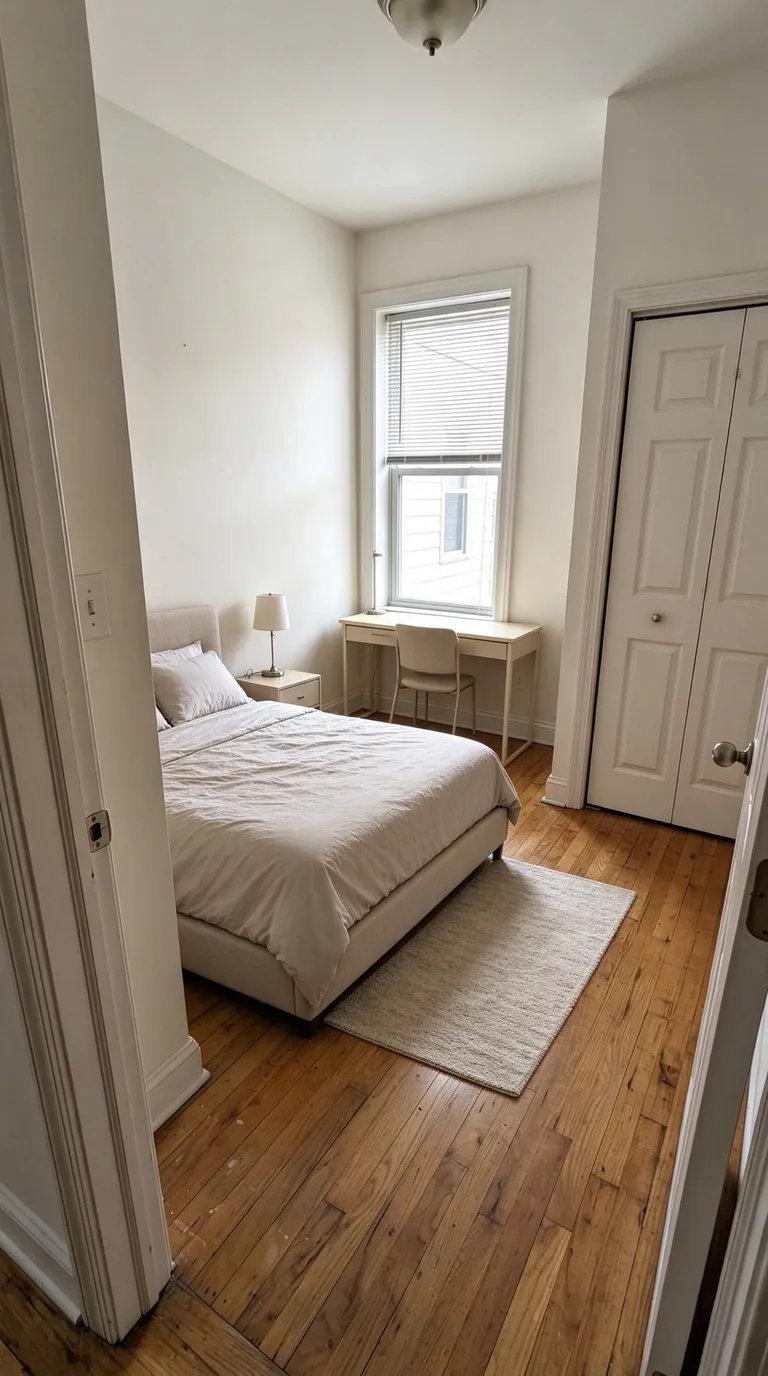
A compact bedroom with a study area
Before · source photoAfter · AI-generated concept
The brief: Add a bed along the left wall, a desk under the window, a nightstand and a small rug. Keep the closet accessible.
What to review: The concept explores how sleeping and study areas could share a small room. It does not verify that the furniture fits; measure circulation and closet clearance separately.
A new account gets one starter credit for a watermarked preview. The US$4 Starter pack includes five credits and clean downloads. A standard image uses one credit; check your quote for other requests. Compare all credit packs and monthly plans.
A browser workflow, not a Calgary staging company
RenderVibe does not run a furniture warehouse, a photography desk, or an office in Calgary. You use the studio in a browser. Upload a photograph of the actual room, describe the furniture you want buyers to picture, and review the credit quote before anything is generated. That is the whole local offer: the same self-serve tool a realtor can open while preparing a Calgary listing. It does not visit the property, measure the room, or file the listing. If you need furniture placed in the house for a showing, hire a physical stager. Virtual staging only changes the photograph.
Start from a clear listing photo
Use a bright frame that shows the floor, the windows, and the way into the room. Winter daylight in a north-facing Calgary living room can be flat. That is a reason to expose the photo carefully, not a reason to ask the model to invent a different window. Tell RenderVibe which parts must stay: flooring, fireplace, window size, and any snow or neighbour roof that is honestly in the shot. Name the pieces you want added, such as a compact sofa and a dining table that leave a path to the kitchen. A style word alone is a weak brief. The prompt guide is a starting template.
Check the image before it goes on the listing
Compare the concept with the original at full size. Look for a moved window, a missing radiator, a doorway that disappeared, and furniture that overlaps a swing door. Keep the unstaged photo. When you publish a generated version, say that the furniture is virtual staging. Your brokerage and the listing service set the wording and the rules. RenderVibe does not interpret Calgary listing policy and does not claim a board has approved the tool. If you are unsure, ask your broker before the photo goes live. The living-room and bedroom examples on this page are product tests, not Calgary listings and not client results.
What the credits cover
A new account includes one starter credit for a watermarked preview. The US$4 Starter pack is five credits and clean downloads, with no subscription and no credit expiry. Larger one-time packs are US$19 for 30 credits and US$49 for 100. A standard single image uses one credit. Other requests can cost more, and the quote is the number to read. Failed generations return credits. A finished image you do not want to publish still used its quote. Agent monthly is US$19 for 40 credits in the billing period if you stage often. Those monthly credits expire. See pricing and the cost guide before you buy for a single listing.
Calgary is not a separate product
There is no Calgary discount, no local phone room, and no set of Calgary-only furniture styles. The same review rules apply in any city. For the rest of the province, read virtual staging in Alberta. For the general realtor workflow, use virtual staging and AI home staging. Builders preparing a spec home in the area, rather than a resale photo, should use builder finish selections instead of a listing-stage brief. Do not mix a renovation concept into a photo that is supposed to show the home as it is, plus proposed furniture.
Does RenderVibe have a Calgary office?
No. There is no Calgary studio, showroom, or on-site staging crew. You upload the listing photo and review the result yourself. Physical staging and local photography are separate hires.
Can I publish the image on a Calgary listing?
Only if it passes your own review and your brokerage's rules. Label virtual furniture as virtual staging. Keep the original photograph. RenderVibe does not submit listings and does not decide whether a board allows the image.