
For builders, architects, and homeowners with a PDF plan
From a floor plan PDF to a rendering concept
Turn a PDF plan into an early visual concept in RenderVibe, then check it against the drawing. These are not dimensionally verified models.
Upload the PDF you actually want to discuss
RenderVibe can open a PDF plan and turn pages into images you select, up to a 2400 pixel edge, with the drawing's text cached for that project. You then ask for a view, such as a living room or an exterior, and you describe materials in plain English. The result is a picture for a conversation. It is not a measured 3D model, not a permit set, and not a substitute for the drawing. Start a plan project with the sheet that contains the question. A cluttered multi-drawing page is a poor reference because the model may not know which floor you meant. The in-app assistant can ask which view to use. It cannot make the geometry exact.
What an elevation concept got wrong
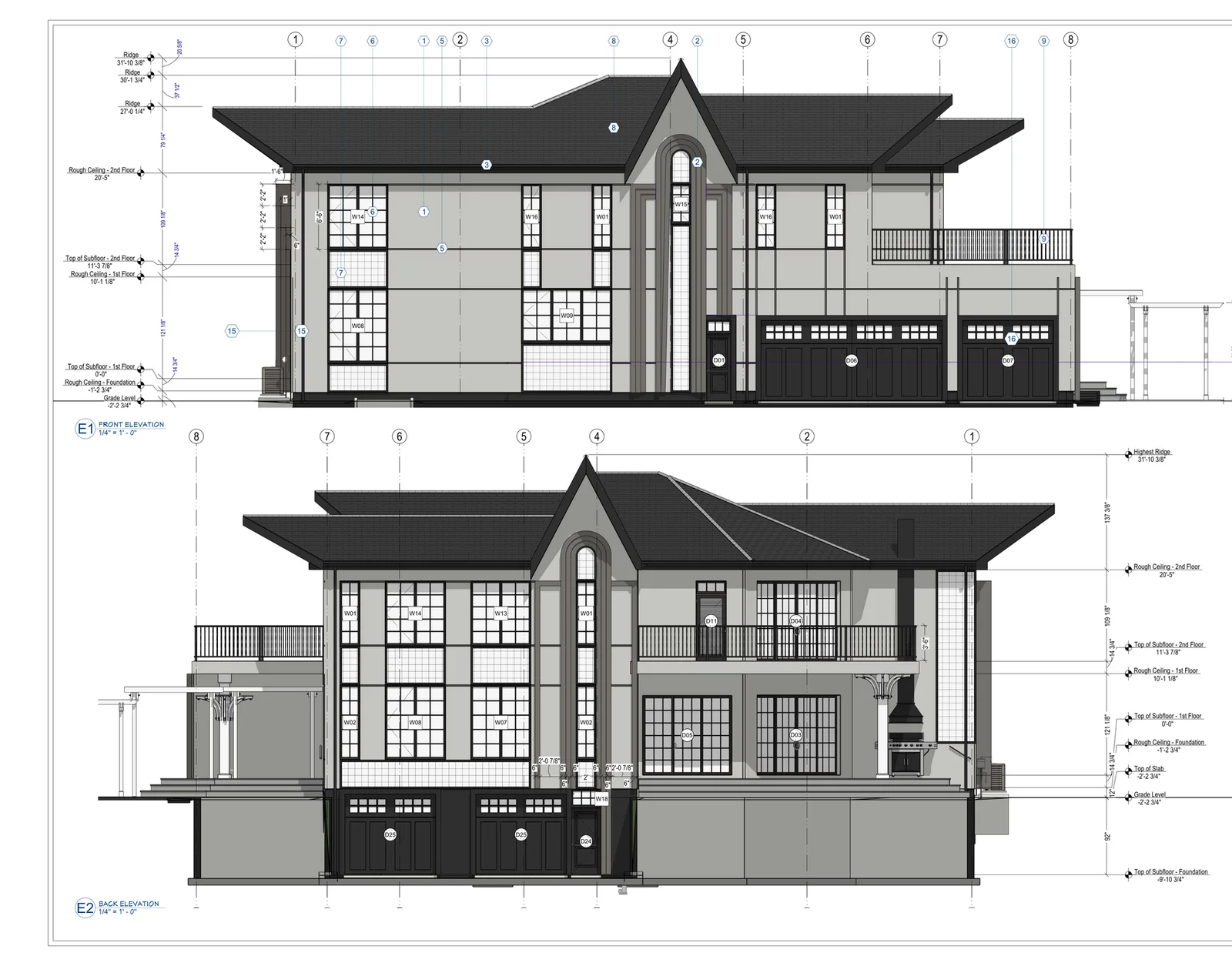
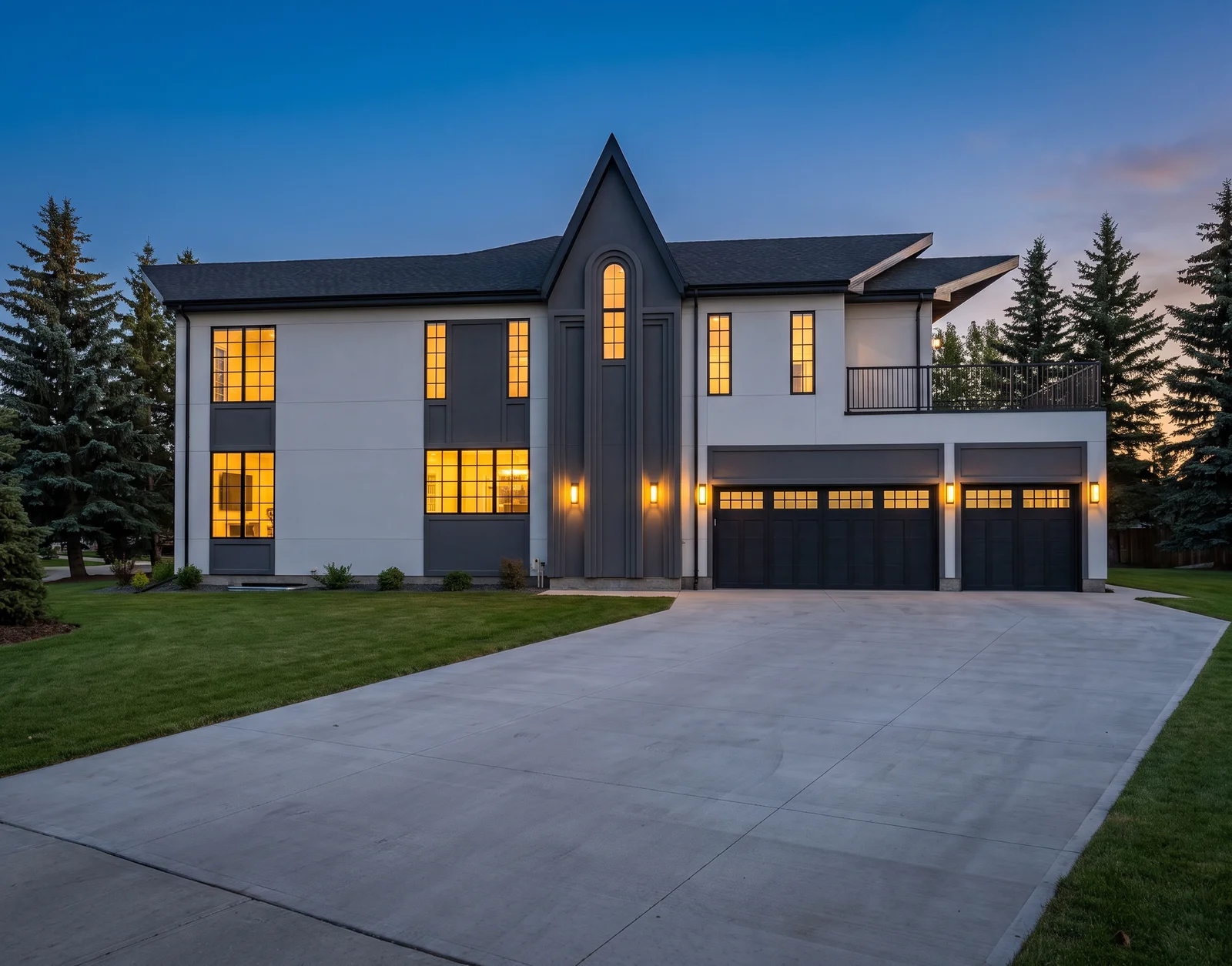
The pair above is from an owner-led pilot, not an independent customer testimonial. The source is an elevation drawing. The request asked for a twilight exterior that kept the drawing's massing, roof, windows, balconies, and garage. The saved concept helps discuss lighting and colour. It also drops the entrance door that the front elevation shows beside the garage. That is a visible error. Treat the image as something to revise, and keep the drawing as the authority. Generation time for that attempt was under a minute. That interval is not a turnaround promise for your file. No homeowner approval was recorded from the pilot.
A September plan check failed layout fidelity
On 9 September 2026, three customer PDFs were reviewed in a small qualitative check. The images could look like buildings, and some facades were recognizable. They did not pass layout checks. One main-floor cutaway changed the footprint and duplicated kitchens. A second-floor view showed two dwellings when four were requested. An aerial copied a drawing note onto the road. This was not a percentage accuracy score and it was not a large sample. The product still needs a reviewed way to lock one floor or one dwelling as the only reference. Until that exists, do not tell a client the rendering reconstructs the plan. Say it is an early concept and show the sheet next to it.
Review windows, stairs, and room counts yourself
After a generation, put the PDF and the image side by side. Count dwellings, stairs, doors, and major windows. Look for rooms that moved or vanished. Two pretty views that disagree with each other are two drafts, not a consistent model. Interior furniture requests on top of a plan can hide a layout error under a sofa. Ask for the shell first if the question is massing. Ask for finishes second. Presentation layouts in a plan project can collect the images you keep, with your logo and captions. Downloading that presentation requires download access. The assistant can point at the steps. You choose which concepts are honest enough to include.
Credits and the next click
Review the quote before each view. A new account has one starter credit for a watermarked preview. A standard single image uses one credit. Several views cost more. The US$4 Starter pack is five credits and clean downloads. Failed generations return credits. A wrong-but-finished image does not. The broader guide is AI architectural rendering. Builders who already know the finish and need a buyer record should use buyer approvals and finish selections. Photo staging of a built home starts at AI home staging, not from the PDF. One unsuccessful pilot request produced no image and no charge because the drawing review failed. Silence is a better outcome than a confident wrong picture.
Will the rendering match the floor plan?
Do not expect it to. The September 2026 check failed layout and unit-count fidelity. Use the PDF to judge the image. Reject views that move stairs, rooms, or openings. RenderVibe does not certify drawings.
Can I get an editable 3D model from the PDF?
No. The current workflow makes reviewable images from plan pages. It does not export editable geometry, a BIM model, or a dimensioned construction document. Accurate reconstruction is still future work.